
Situation
Is it safe to store tax returns and bank statements on my phone?

Yes, if they sit behind a lock that only you know and an encrypted backup. The IRS says to keep most records for 3 years after you file, and HMRC says at least 22 months after the tax year ends. HMRC accepts digital records. Keep the PDFs out of email threads and the camera roll, and send them to an accountant with a link that expires.
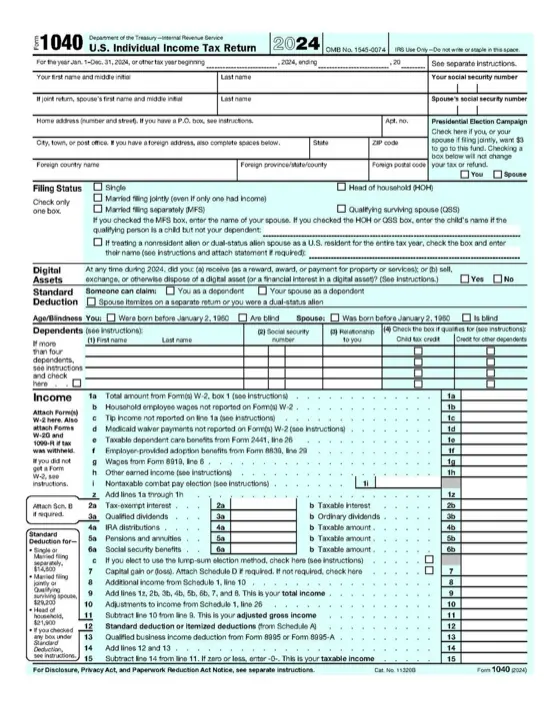
Tax season leaves a trail on your phone. A PDF of last year’s return in Downloads. A photo of a W-2 or a P60. Bank statements for a mortgage application. Receipts for a deduction, and the email thread with your accountant. Each one holds the numbers someone needs to file a return in your name or open an account. This page covers how long to keep them and where a phone leaves them open. It also shows how to keep and send them with less risk. We checked each fact against the IRS, GOV.UK, the FTC and Apple on 2026-10-08.
How long to keep tax records
United States. The IRS says “you must keep your records that support an item of income, deduction or credit shown on your tax return until the period of limitations for that tax return runs out.” The page gives the periods:
| Your situation | Keep records for |
|---|---|
| Most returns | 3 years after you filed |
| You file a claim for credit or refund after you file | 3 years from filing, or 2 years from paying the tax, whichever is later |
| You did not report income that is more than 25% of the gross income on your return | 6 years |
| You claim a loss from worthless securities or a bad debt deduction | 7 years |
| You did not file a return, or filed a fraudulent one | Indefinitely |
Records about property, such as a home, follow their own rule. Keep them until the period of limitations ends for the year you sell or dispose of it.
United Kingdom. For Self Assessment, GOV.UK says to keep records “for at least 22 months after the end of the tax year the tax return is for.” Its example: if you send your 2024 to 2025 return online by 31 January 2026, keep the records until at least the end of January 2027. If you send the return after the deadline, keep the records for at least 15 months after you sent it.
GOV.UK is clear about format: “There are no rules on how you must keep records. You can keep them on paper, digitally or as part of a software program”. HMRC can charge a penalty if records “are not accurate, complete and readable”.
Where financial documents are exposed on a phone
The camera roll. A photo of a W-2 sits in Photos, in search and on every device on your account. It can show up in Memories next to family photos. To turn photos of receipts into one PDF without their location data, use our free photo to PDF tool.
Files and cloud drives. A downloaded PDF often lands in iCloud Drive or Google Drive. Apple’s iCloud overview lists iCloud Drive and Photos under standard data protection, where Apple holds the keys. They become end-to-end encrypted only with Advanced Data Protection. Our guide on iCloud encryption explains the difference.
Email. An attachment you sent your accountant three years ago is still in your sent mail, their inbox and both backups. A person who gets into one email account gets every return you ever sent.
Scams that come for these numbers
The IRS says “We never email without your permission.” If an email claims to be from the IRS, the IRS says: “Don’t reply, click links or open attachments”. Send it to phishing@irs.gov as an attachment, then delete it.
If someone used your details, IdentityTheft.gov from the FTC helps you “report and recover from identity theft” with a recovery plan. A copy of your real returns and statements makes it easier to show what is yours.
Keep them in one place with its own code
York Vault keeps documents behind its own code, on iPhone and Android. It stores any file type and opens PDFs in its own viewer, with search inside the document. Nothing goes to Photos or your cloud drive in readable form.


- Scan paper. The document scanner turns a page or a stack of receipts into one PDF, with no plain copy on the phone. Text recognition, if you turn it on, runs on the phone.
- Add PDFs from anywhere. Share a bank statement or a return into York Vault from Files, Mail or a banking app. You do not need to open York Vault first.
- File by tax year. Make an album for each year, with albums inside albums for receipts, statements and returns.
- Find a document later. Search finds items by name, album, type and date, free. With Plus, it also finds words inside scans and screenshots, such as “receipt”, on the phone.
- Keep a backup off the phone. Everything goes into the encrypted backup in your own iCloud or Google Drive. File names, dates and album names are encrypted too, so the backup shows no “Tax 2025” folder.
Send a document to an accountant
- Ask if your accountant has a client portal. If so, use it.
- If not, pick the documents in York Vault and make a private share link.
- Send the link by email or message. The file is not in the email, only the link.
- The link ends after its time limit and open count, and you can stop it at any time. On Free, that is 7 days or 3 opens, whichever comes first. Plus lets you choose from 1 hour to 30 days.
The documents stay encrypted on the share server, and the key sits in the link itself. We cannot open them.
When you need the originals out
At some point a lender or a tax office wants the files. Or you change apps. Export everything moves every item out in its original format, to Files or your photo library, free on every plan. For a copy that stays encrypted, export a library or an album as one .york file to a USB drive. It opens only with your code or your recovery key.
For copies of your passport and driving license, read photos of your passport and ID on your phone.
Questions people ask
How long should I keep tax records?
The IRS says to keep records that support your return until its period of limitations runs out. For most people that is 3 years after filing. It is 7 years for a claim for a loss from worthless securities or a bad debt deduction, 6 years in some cases of unreported income, and indefinitely if you did not file. Property records follow their own rule.
Are digital copies of tax records OK?
For UK Self Assessment, HMRC says there are no rules on how you keep records, and you can keep them on paper, digitally or in software. They must be accurate, complete and readable. In the US, the IRS page on record retention covers how long, not the format. Ask your tax preparer what they need.
Is it safe to email tax documents to my accountant?
An email attachment stays in your sent mail, their inbox and both backups for years. Many accountants offer a client portal. If they do not, send a link that expires after a set time and a set number of opens, so the copy does not live in an inbox forever.
Does the IRS email you about your tax return?
The IRS says "We never email without your permission." If you get a suspicious email that claims to be from the IRS, do not reply, click links or open attachments. Send it to phishing@irs.gov as an attachment, and you can also report it to the FTC.
Sources
- How long should I keep records? (IRS, reviewed 2026-06-30) · checked Oct 8, 2026
- Report fake IRS, Treasury or tax-related emails and messages (IRS) · checked Oct 8, 2026
- Keeping your pay and tax records: Overview (GOV.UK) · checked Oct 8, 2026
- Keeping your pay and tax records: How long to keep your records (GOV.UK) · checked Oct 8, 2026
- iCloud data security overview (Apple Support) · checked Oct 8, 2026
- IdentityTheft.gov (Federal Trade Commission) · checked Oct 8, 2026

