
Choosing a photo vault app
Are photo vault apps really encrypted, and what does AES-256 mean?

AES-256 is a standard cipher from NIST, and your phone already uses it for all its storage. So the name alone says little about a vault app. What matters is where the key lives and what can unlock it. If an email code or a support team can open your vault, the key does not depend on your code alone, whatever the app calls its encryption.
Almost every vault app’s listing promises encryption, often with a big word in front of it. Keepsafe’s App Store listing says “military-grade encryption”. LockMyPix says “TRUE AES encryption” and “the same encryption that is used by banks and governments worldwide”. These claims can all be true and still tell you little. This guide explains why, and what to check instead. We read each listing and help page on 2026-10-09.
What AES-256 is
AES is the Advanced Encryption Standard. NIST publishes it as FIPS 197, which specifies three versions: AES-128, AES-192 and AES-256. NIST says each one “transforms data in blocks of 128 bits”, and “the numerical suffix indicates the bit length of the associated cryptographic keys”.
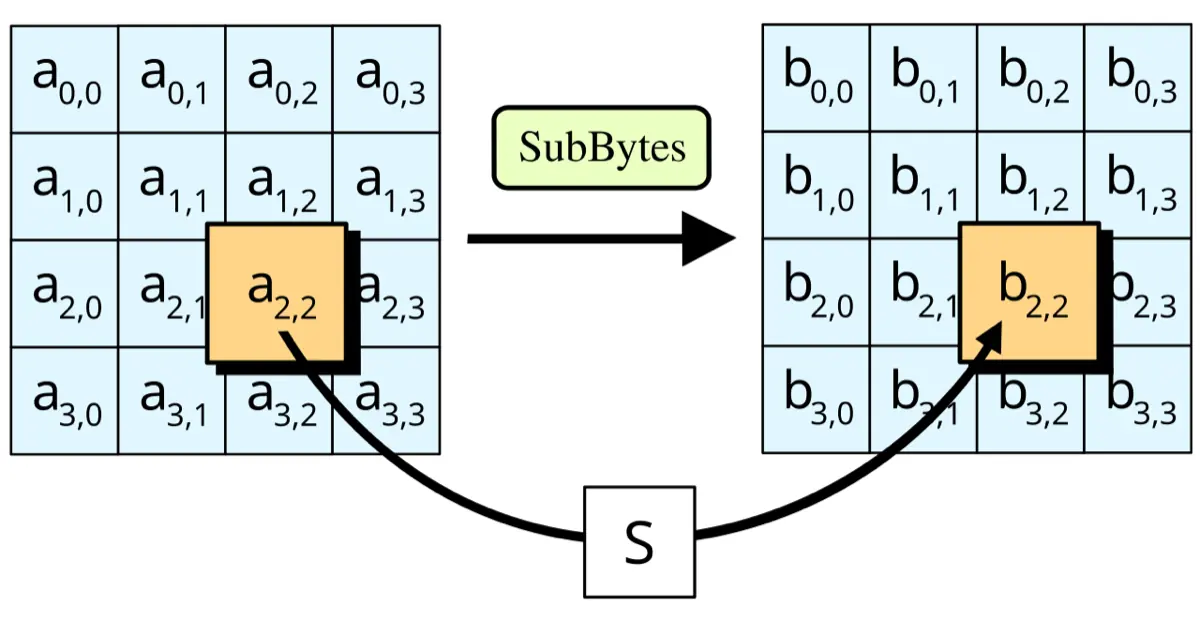
It is the normal cipher for stored data. Apple says an iPhone with a passcode “encrypts your iPhone data with 256-bit AES encryption”. So “a vault with AES-256” is like “a car with wheels”. It is expected, and it is not where vaults differ.
What the apps say
| App | Encryption claim | Source |
|---|---|---|
| Keepsafe | “Industry-standard 256-bit AES encryption”, files “encrypted at rest” | Keepsafe help center |
| LockMyPix | “AES CTR” | App Store listing |
| Vaultaire | “AES-256-GCM”, with “a random key” that “your pattern unlocks” | App Store listing |
| Private Photo Vault | A Cloud Vault Password “used as a secret value that only you know to encrypt/decrypt your files”, for its cloud backup | App Store listing |
| Privault | “The encrypted storage can be accessed only when you enter your particular digit-passcode” | App Store listing |
None of these tells you the part that matters most: what protects the key.
The key is the whole story
Encryption turns a photo into noise that only the right key turns back. Every question about a vault is a question about that key:
- What unlocks it? Your code, a face, an email link, a security question or a support ticket.
- Where does it live? On the phone in a hardware-protected store, in the app’s files, or on a server.
- Can it be copied? To a backup, to a computer or to a new phone.
The recovery flow answers most of these. Look at two apps’ own pages:
- Keepsafe says its files can only be decrypted by unlocking with your PIN or Face ID. It also says a forgotten PIN is reset with an access code sent to your email. If an email code can lead back to your files, the key does not rest on your PIN alone. Your email account becomes part of the lock.
- LockMyPix says its email recovery ends with “Your password will be displayed”. An app that can show you your old password keeps it in a form it can read.
- Calculator Lock’s listing gives a master reset code, “11223344=”, plus a security question. The question is then the real lock.
None of these makes the cipher weak. They show where the cipher stops mattering.
Five questions that test an encryption claim
- If I forget my code, what can the app do? “Nothing without your recovery key” means the key is yours. “We email you a code” means someone else can reach it.
- Does the app ever show my old password? It should never be able to.
- Are file names and thumbnails encrypted too? A vault that encrypts photos but leaves names or previews readable leaks what you keep.
- Is the cloud backup encrypted before it leaves the phone? And with which key?
- Has anyone outside the company checked it? A published design or an outside audit beats any adjective.
Our guide to whether photo vault apps are safe covers the checks that are not about encryption.
Your phone already encrypts. Why a vault?
Your phone encrypts everything with keys tied to your passcode. See is my iPhone encrypted and is my Android phone encrypted. That protects a locked phone from a stranger. It does nothing against a partner, a parent or a friend who knows your passcode, because their key is your key. A vault’s value is a second key behind a second code.
How York Vault answers the five questions
- A forgotten code. Your 12-word recovery key opens the library. We cannot reset a code, because we never hold it. An optional 72-hour reset through your Apple Account or Google account is off unless you turn it on.
- Your old code. York Vault never stores it in readable form and cannot show it.
- Names and thumbnails. Each file gets its own random 256-bit key and AES-256-GCM. File names, dates, places, thumbnails and the index are encrypted too.
- Backup. Every item is encrypted on the phone before it goes to your iCloud or Google Drive.
- Outside checks. We publish a white paper that matches the code, an outside audit of the encryption core, and the source of that core library. See the security page.
See end-to-end encryption and zero knowledge. Download York Vault.

Questions people ask
Are photo vault apps encrypted?
Many say they are. Keepsafe says it uses 256-bit AES, LockMyPix says AES CTR, and Vaultaire says AES-256-GCM, in their own listings or help pages. A listing cannot prove it. The better test is how the app handles a forgotten code, because that shows who else can reach the key.
What does AES-256 mean?
AES is the Advanced Encryption Standard, published by NIST as FIPS 197. It has three key sizes, AES-128, AES-192 and AES-256, and the number is the key length in bits. All three work on 128-bit blocks. AES-256 is widely used, including by Apple for iPhone storage.
Is a vault with AES encryption safe if someone knows my code?
No. Encryption protects files from someone who does not have the key. Your code is what unlocks the key, so anyone who knows the code gets your photos. That is why a vault code should differ from your phone passcode, and why a cover code can help when someone forces you to open the app.
If a vault can reset my PIN by email, is it still encrypted?
The files may be encrypted, but the key cannot depend on your PIN alone, because an email code can open them. So whoever controls that email, and possibly the company, has a way in. That is a trade-off for easy recovery, not a flaw in the cipher.
Does my phone already encrypt my photos?
Yes. Apple says an iPhone with a passcode encrypts its data with 256-bit AES, and Android requires file-based encryption on every phone that launches with Android 10 or later. A vault adds a second key behind a second code, which matters when someone else knows your phone's passcode.
Sources
- FIPS 197, Advanced Encryption Standard (NIST) · checked Oct 9, 2026
- Keepsafe Help: How does Keepsafe protect my data? · checked Oct 9, 2026
- Keepsafe Help: I lost my PIN code, how can I get into Keepsafe? · checked Oct 9, 2026
- Secret Photo Vault: Keepsafe (App Store, US) · checked Oct 9, 2026
- LockMyPix Secret Photo Vault (App Store, US) · checked Oct 9, 2026
- LockMyPix help: Password Recovery · checked Oct 9, 2026
- Photo Vault - Vaultaire (App Store, US) · checked Oct 9, 2026
- Calculator Lock - Secure Vault (App Store, US) · checked Oct 9, 2026
- Set a passcode on iPhone (iPhone User Guide, iOS 27) · checked Oct 9, 2026


