
Situation
Can CarPlay or Android Auto show my photos on the car screen?

CarPlay and Android Auto do not have a photo gallery, so your camera roll does not appear on the car screen. Three things can still show private content: message notifications, video you send to the screen with AirPlay while parked, and the car's own system, which can keep your contacts and messages after you disconnect. Turn on Driving Focus and delete your phone from shared cars.
You plug your phone into a friend’s car, a rental or the family car. The screen lights up with your apps, and you wonder what else it can show. Maybe a passenger saw a message preview last week, or you lent the car and left your phone paired. This page shows what CarPlay and Android Auto can put on a car screen, and what the car itself keeps. We checked each step against Apple’s, Google’s and the FTC’s own pages on 2026-10-08.
What CarPlay can and cannot show
CarPlay gives you “turn-by-turn directions, make phone calls, listen to music, check your calendar, and more” on the car’s display. There is no Photos app. Apple lists the kinds of third-party apps that work with CarPlay. They are audio, navigation, messaging and voice calling, apps from your car maker, and apps for fueling, parking, EV charging and food orders. A photo gallery is not on that list.
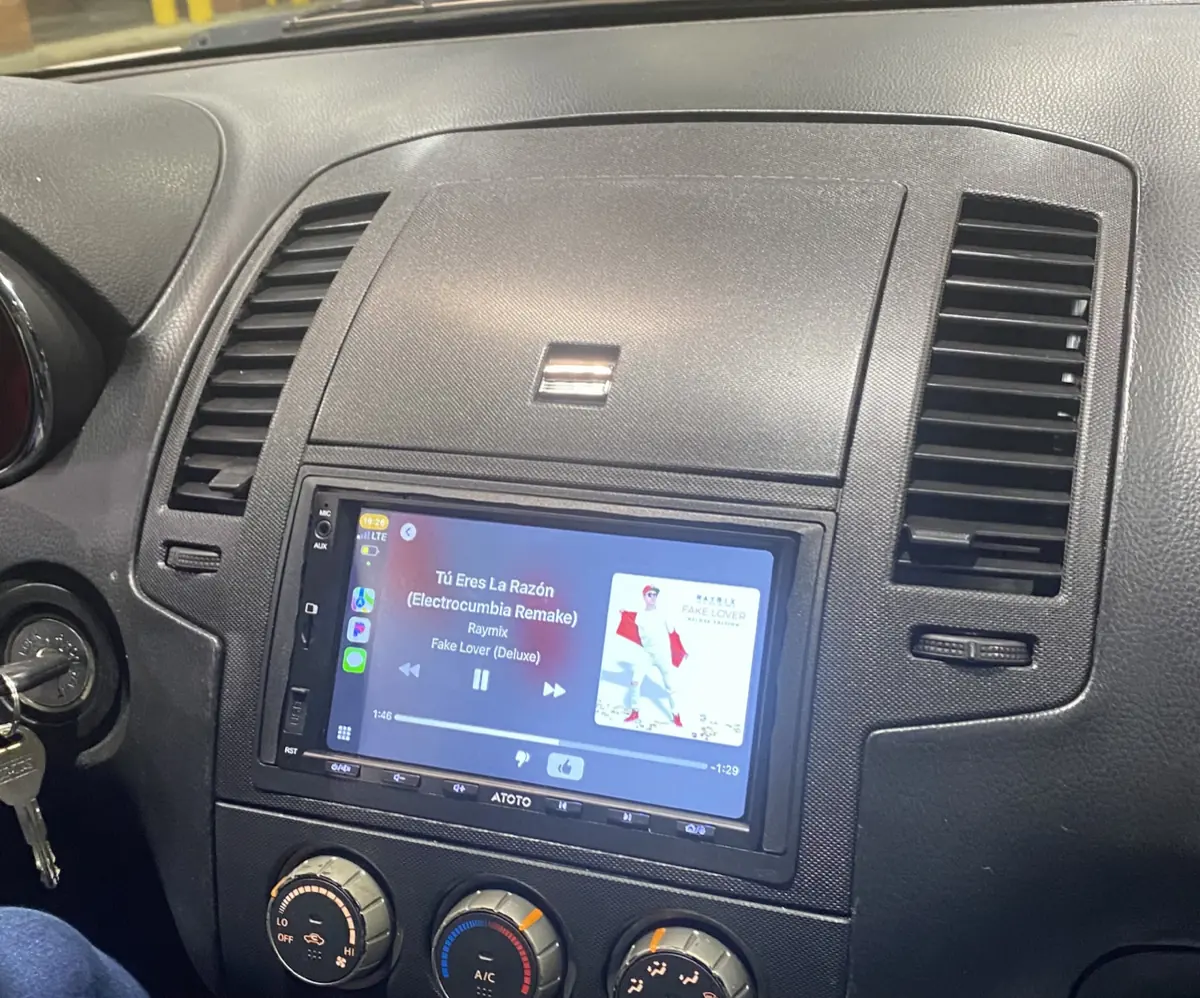
Three paths can still bring private things to the car screen:
- Messages. The Messages app in CarPlay lets you hear unread messages and reply. With Announce Notifications on, Siri reads new messages as they arrive. Your pinned chats from iPhone also show in CarPlay.
- AirPlay video while parked. Apple says “when you’re not driving, you can play videos from your iPhone on your CarPlay display”, from “any app that supports AirPlay”. That includes a video or a memory from Photos if you choose to send it.
- Widgets. CarPlay can show widgets from your iPhone. On your iPhone, open Settings, tap General, tap CarPlay, tap your car, then tap Widgets to see and remove them. The same screen has a Widget Suggestions switch.
How to lock down CarPlay
Do these when you are not driving.
- Turn on Driving Focus. Open Settings in CarPlay, go to Driving Focus, then select Activate With CarPlay. Apple says notifications and text messages are then “silenced or limited”.
- Turn off Announce Notifications. On your iPhone, go to Settings, then Announce Messages, and turn off Announce Notifications. You can also tap Announce in CarPlay when Siri reads a message.
- Remove icons you do not want. On your iPhone, open Settings, then General, then CarPlay. Select your car and tap Customize. CarPlay lets you remove only some icons.
- Stop AirPlay when you are done. In the app that plays the video, tap the AirPlay button. Then deselect your CarPlay display.
CarPlay also has a CarPlay Screenshots switch, under Settings, General, Screen Capture on your iPhone. When it is on, a screenshot on your iPhone also captures the car screen.
What Android Auto shows
Android Auto has no gallery either. Messages are the main thing it puts on screen. Google says “message notifications will appear on your screen.” Missed and dismissed messages stay on the car screen as tiles and in the notification center. You can tap a notification, or ask Gemini or Google Assistant to read your messages aloud.
So the risk on Android Auto is a message that the whole car hears or sees. Check the notification settings for each messaging app on your phone before you share a ride.
The car keeps more than you think
CarPlay and Android Auto run from your phone. The car’s own system is a separate computer, and it can keep copies.
The FTC warns that a connected rental car “might keep your personal information long after you’ve returned the car.” It lists GPS locations, “your phone number, call and message logs, or even contacts and text messages.” Future renters or staff may be able to see them.
The FTC gives three steps:
- Charge from a lighter adapter, not the car’s USB port, if you only need power. “In some cases, the USB connection may transfer data automatically.”
- When the car asks what it can access, grant only what you need. Music does not need your contacts.
- Before you return the car, open its settings menu, find the paired devices, select your phone and delete it.
Do the same before you sell a car, trade it in or lend it for a long time.
Where York Vault fits
York Vault has no CarPlay or Android Auto app. So nothing from your library appears on a car screen by itself. The risk is a photo that is still in your phone’s photo app, or a video you send with AirPlay.

On iPhone, York Vault shows a plain cover on any connected screen, including AirPlay. Your item appears there only after you tap Show on TV, and that lasts for the current session. The viewer page explains how. On Android, York Vault marks every screen as secure. Android then keeps it off any display that is not secure. The screenshot protection page compares both systems.
Photos that are still in Apple Photos or the Android gallery can still go to the car with AirPlay. A memory movie can play there too, which our page on memories that show private photos covers. Our guides to hiding photos on iPhone and locking photos on Android compare the built-in options. To keep photos out of the photo app for good, add them to York Vault and remove the originals. The import and cleanup page shows how. If someone looks at your phone in the car, quick exit locks York Vault and opens another app.
The widget on your home screen is a separate topic. See when a photo widget shows a private photo. To try York Vault, download it for iPhone or Android.
Questions people ask
Can CarPlay show my photos?
CarPlay has no Photos app. Apple lists the kinds of apps that work with CarPlay: audio, navigation, messaging, voice calling, car maker apps, and apps for fueling, parking, EV charging and food ordering. When you are not driving, you can still send video to the car screen with AirPlay from any app that supports it.
Can passengers see my messages on CarPlay?
They can hear them. CarPlay can read messages aloud with Siri, and it can announce new messages as they arrive. Anyone in the car hears the same words you do. If you share the car, turn on Driving Focus with CarPlay so notifications and texts are silenced or limited. You can also turn off Announce Notifications on your iPhone.
Does Android Auto show photos?
Android Auto has no gallery. Google says message notifications appear on the car screen, and missed or dismissed messages stay as tiles and in the notification center. You can tap a notification or ask Gemini or Google Assistant to read it aloud, so anyone in the car can hear it.
Does a rental car keep my phone data?
It can. The US Federal Trade Commission says a connected rental car might keep your GPS locations, phone number, call and message logs, contacts and text messages after you return it. It advises you to delete your phone from the list of paired devices before you hand back the car.
Can York Vault photos show up on a car screen?
Not by themselves. York Vault has no CarPlay or Android Auto app. On iPhone, a connected screen shows a plain cover until you tap Show on TV for that session. On Android, the system does not show York Vault screens on a display that is not secure.
Sources
- Intro to CarPlay and iPhone (iPhone User Guide, iOS 27) · checked Oct 8, 2026
- Use other apps with CarPlay (iPhone User Guide, iOS 27) · checked Oct 8, 2026
- Play videos with CarPlay (iPhone User Guide, iOS 27) · checked Oct 8, 2026
- Use the Messages app with CarPlay (iPhone User Guide, iOS 27) · checked Oct 8, 2026
- Announce incoming text messages with CarPlay (iPhone User Guide, iOS 27) · checked Oct 8, 2026
- Change settings in CarPlay (iPhone User Guide, iOS 27) · checked Oct 8, 2026
- Rearrange the icons on CarPlay Home (iPhone User Guide, iOS 27) · checked Oct 8, 2026
- Customize widgets in CarPlay (iPhone User Guide, iOS 27) · checked Oct 8, 2026
- Send and receive messages (Android Auto Help) · checked Oct 8, 2026
- Renting a Car (Federal Trade Commission, Consumer Advice) · checked Oct 8, 2026
- WindowManager.LayoutParams, FLAG_SECURE (Android Developers) · checked Oct 8, 2026


