
Situation
How do I take move-in photos that protect my rental deposit?

Photograph and film every room on the day you get the keys, before you unpack, and again when you leave. Keep the original files, because a photo's date and place live in its details, and many apps strip them when you share. Send the landlord a dated copy. In a dispute, the deposit scheme or the court asks both sides for evidence.
You have the keys. The carpet has a stain and the oven door has a crack. There is a hole behind where the sofa will go. In a year, nobody will remember which marks were there first. The photos you take today, and the dates inside them, decide whether you get your deposit back. This page shows how to shoot the place and how to keep the dates intact. It also shows how to send copies without losing the details that matter. We checked each fact against California law, GOV.UK and Apple on 2026-10-08.
Shoot the whole place before you unpack
Empty rooms show everything. Once furniture is in, the marks behind it are gone from your record.
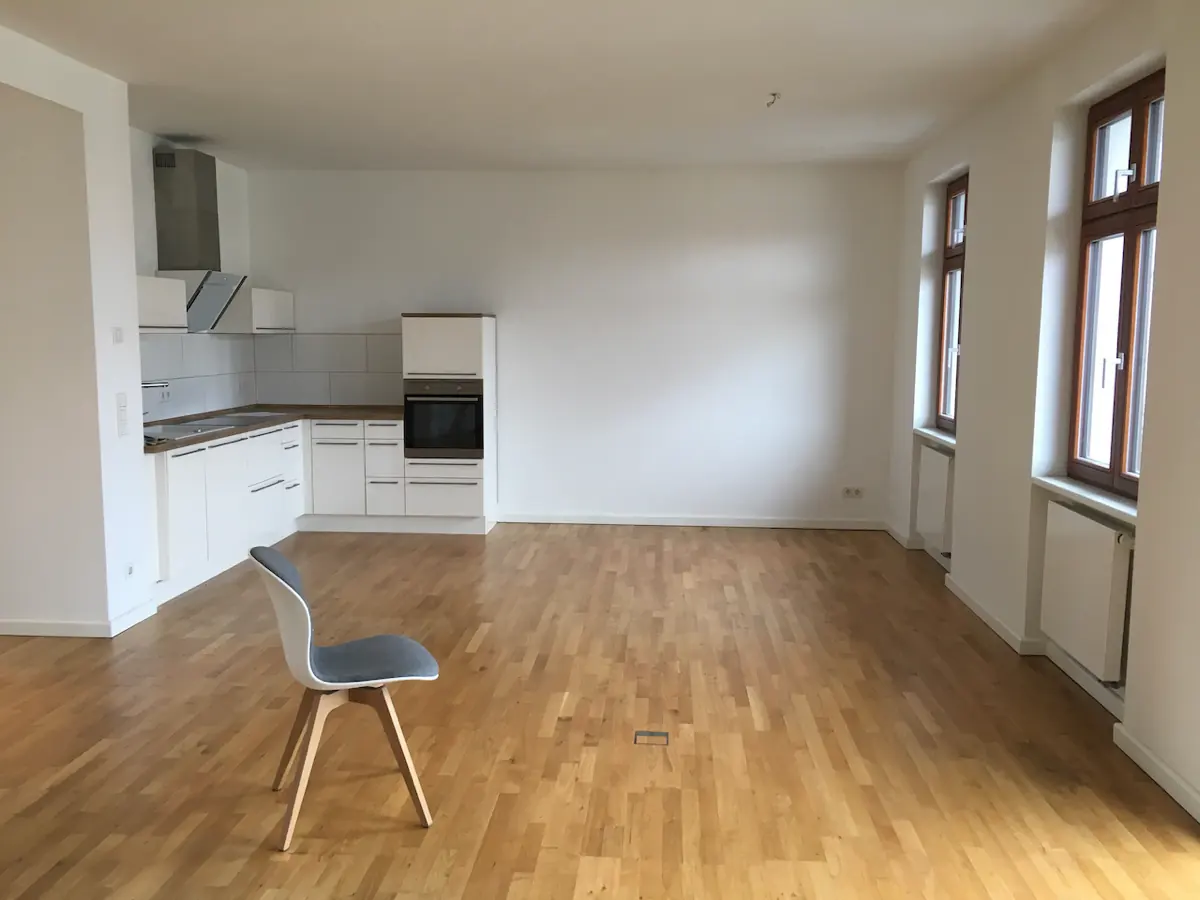
- Start at the front door and work through each room in the same order.
- Take a wide photo from each doorway, then one of each wall.
- Photograph the floor, the ceiling, windows, doors and every fixture: oven, fridge, taps, toilet, shower, radiators, lights.
- Open cupboards and the fridge. Photograph the inside.
- For each mark, take one close photo with a coin or a pen for scale. Then take one from further back, so the room shows.
- Record a slow video through the whole home. Say the date and the room names as you go.
- Read the meters and photograph them.
Do the same at move-out, after you clean, from the same spots. Pairs of photos from the same angle are easy to compare.
The date lives in the file, not in the picture
Each photo file carries details beyond the picture. Apple’s guide lists the date and time each photo was taken, the device that took it, and where it was taken. When Location Services is on for the Camera, Apple says the coordinates “are embedded into each photo and video”.
These details are your proof of when and where. Two things can lose them.
Editing. The same Apple guide says to “tap Adjust to edit the date and time”, and you can change the location too. So never edit the dates on these photos. If a landlord questions a date, an edited file is weak.
Sharing. Some apps remove details on purpose. The Freedom of the Press Foundation notes that Signal “automatically removes metadata from photos”, and a screenshot of a photo has none of the original’s details. That is good for privacy and bad for a deposit record. Before you send, check that the copy keeps its date.
Send a dated copy to the landlord
A copy in the landlord’s inbox is an outside record of what you saw and when. Within the first days:
- Write a short list of existing damage, room by room.
- Attach the photos, or a link to them, with their dates kept.
- Ask the landlord or agent to reply to confirm they got it.
- Keep the reply with your photos.
If the landlord gives you an inventory or a check-in report, compare it with your photos and note any difference in writing.
What the law says about photos and deposits
California. Civil Code section 1950.5 gives landlords their own photo duties. For tenancies that start on or after July 1, 2025, “the landlord shall take photographs of the unit” at the start of the tenancy or right before it. Since April 1, 2025, the landlord must also photograph the unit after you return it, before and after any repairs or cleaning they will deduct. The landlord then has 21 calendar days after you move out to return the deposit or account for it.
England and Wales. Your landlord must put your deposit in a government-approved tenancy deposit protection scheme “within 30 days of getting it”. If you disagree about deductions, GOV.UK says the scheme “offers a free dispute resolution service”. “You’ll both be asked to provide evidence, and the decision made about your deposit will be final.”
Rules elsewhere differ. A local tenant adviser can tell you what applies to you.
Keep the record for the whole tenancy
A tenancy can last years. Phones get replaced, photo libraries get cleaned out, and an album called “Flat” is easy to delete by accident. Keep the move-in set in one place that you will not clear, with a backup off the phone.
How York Vault keeps a deposit record
York Vault keeps photos and videos in a library with its own code, on iPhone and Android. The encrypted backup goes to your own iCloud or Google Drive.

- Shoot inside York Vault. The private camera saves straight into your library. Location is off by default. For a rental record, turn it on for these photos. York Vault stores the place inside the encrypted record.
- Dates stay with each item. York Vault keeps the capture date, location, camera data and original file name of every photo you add. It sorts by the capture date. York Vault can change dates, so leave them alone here.
- One album per home. Make an album for the move-in set and one for move-out, inside an album for the address. See albums and organizing.
- Send with the details kept. When you share or export, York Vault removes location and dates by default. For the landlord or a dispute, turn on Keep details for that share. A preview shows what goes.
- All the originals out at once. Export everything puts the originals in a folder, free on every plan.
If you took the photos with the phone’s own camera, add them to York Vault, then remove them from Photos. The import and cleanup page shows each step. Empty Recently Deleted afterwards, which our Recently Deleted guide walks through. York Vault removes an original only after it checks its copy.
The same rules about original files apply to other records. See keeping evidence for a divorce or custody case.
Questions people ask
Do landlords have to take move-in photos?
In California, yes, for tenancies that start on or after July 1, 2025. Civil Code section 1950.5 says the landlord shall photograph the unit at the start of the tenancy, or right before it. Since April 1, 2025, the landlord must also photograph it after you move out, before and after repairs or cleaning they will charge for. Other states differ. Take your own photos either way.
How do I prove the date of a move-in photo?
Keep the original file, which holds the date and time it was taken. Do not rely on the date alone, because Apple's guide shows that anyone can edit a photo's date in Photos. Send the landlord a copy on move-in day and keep their reply, so a second, outside record shows the date.
How long does a landlord have to return a deposit?
It depends on where you rent. In California, Civil Code section 1950.5 sets 21 calendar days after the tenant moves out. In England and Wales, GOV.UK says your landlord must return the deposit within 10 days of you both agreeing how much you get back.
What happens in a deposit dispute in England?
Your deposit protection scheme offers a free dispute resolution service if you and the landlord disagree. GOV.UK says both of you must agree to use it, you will both be asked to provide evidence, and the decision is final. Your dated move-in and move-out photos are that evidence.
Sources
- California Civil Code section 1950.5 (California Legislative Information) · checked Oct 8, 2026
- Tenancy deposit protection: Overview (GOV.UK) · checked Oct 8, 2026
- Tenancy deposit protection: Disputes and problems (GOV.UK) · checked Oct 8, 2026
- Metadata 101 (Freedom of the Press Foundation, updated 2026-06-12) · checked Oct 8, 2026
- See photo and video information on iPhone (iPhone User Guide, iOS 27) · checked Oct 8, 2026
- Manage location metadata in Photos (Apple Personal Safety User Guide) · checked Oct 8, 2026


